
How to configure the Extreme WiNG captive portal without authentication and without user email addresses?
In this topic, you will learn how to configure the Extreme WiNG captive portal without authentication but with user identification on the basis of the IP and MAC addresses.
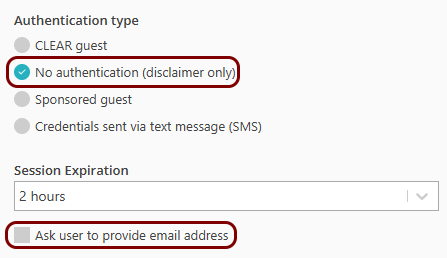
You can configure your Portnox captive portal service () without authentication and without requiring the user email address:
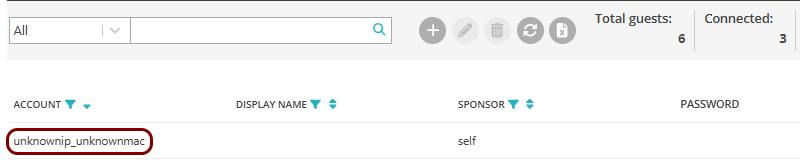
However, on Extreme WiNG devices, this causes users to be listed on the Guests page without any identification:
You can identify the users of the Extreme WiNG captive portal by their IP and MAC addresses. To do this, you must configure your WiNG captive portal by using a custom captive portal URL instead of the default Captive Portal URL in Portnox Cloud:
https://clear-guests-tests.portnox.com/your_organization_id?client_ip=WING_TAG_CLIENT_IP&client_mac=WING_TAG_CLIENT_MACwhere https://clear-guests-tests.portnox.com/your_organization_id is your Captive
Portal URL as seen in Portnox Cloud.
For example:
If your Captive Portal URL is: https://guests.portnox.com/b2973887-1274-45c4-91d0-4a342a861c76-homeworld
Then use the following URL in WiNG configuration:
https://guests.portnox.com/b2973887-1274-45c4-91d0-4a342a861c76-homeworld?client_ip=WING_TAG_CLIENT_IP&client_mac=WING_TAG_CLIENT_MAC