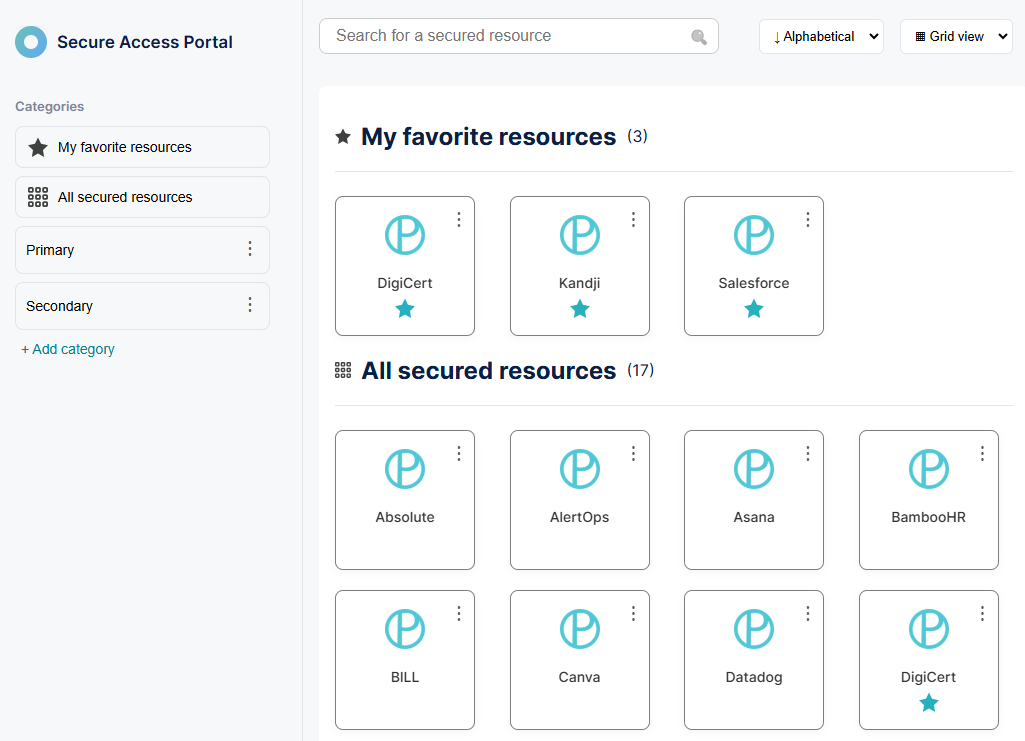
The Secure Access Portal for Portnox ZTNA
In this topic, you will learn about the Secure Access Portal, which provides a single place to access all applications and resources configured for access through Portnox ZTNA.
The Secure Access Portal is available to all users at https://myapps.portnox.com. Users can access the portal using any of your existing authentication repository integrations:
Okta (note: you need to install the Okta SSO-OIDC application in Okta)
or if you use Portnox accounts for ZTNA access.
After signing in, users see a set of tiles that represent all configured ZTNA resources, including SSO web applications and hosted resources. Selecting a tile opens the corresponding resource.
Users can also select the ⋮ icon to Add to favorites or Add to category, allowing them to organize resources for easier access. Favorites and categories are stored per user.